
01 Answers in
Answers in
under 300ms
The right answer the moment you need it. Cloak listens, understands, and whispers exactly what to say.
Undetectable in every platform
Live audio, your own keys, beautiful notes, profile context. One overlay — invisible to the call.
Turn it on once — Cloak auto-records every call and writes the notes for you. No bots ever join.
Turn on Meeting Notes and pick Auto-start. Grant mic + system-audio once — that's the last button you press.
The moment a Zoom, Meet, or Teams call begins, Cloak starts capturing — straight from your Mac's audio. Nothing to click.
When the call ends, an AI summary and to-do list are generated automatically — saved to your notes.
When a meeting starts, Cloak can…
Tap a chip and Cloak reshapes how it answers the live transcript — these are real captures of the overlay, not mockups.
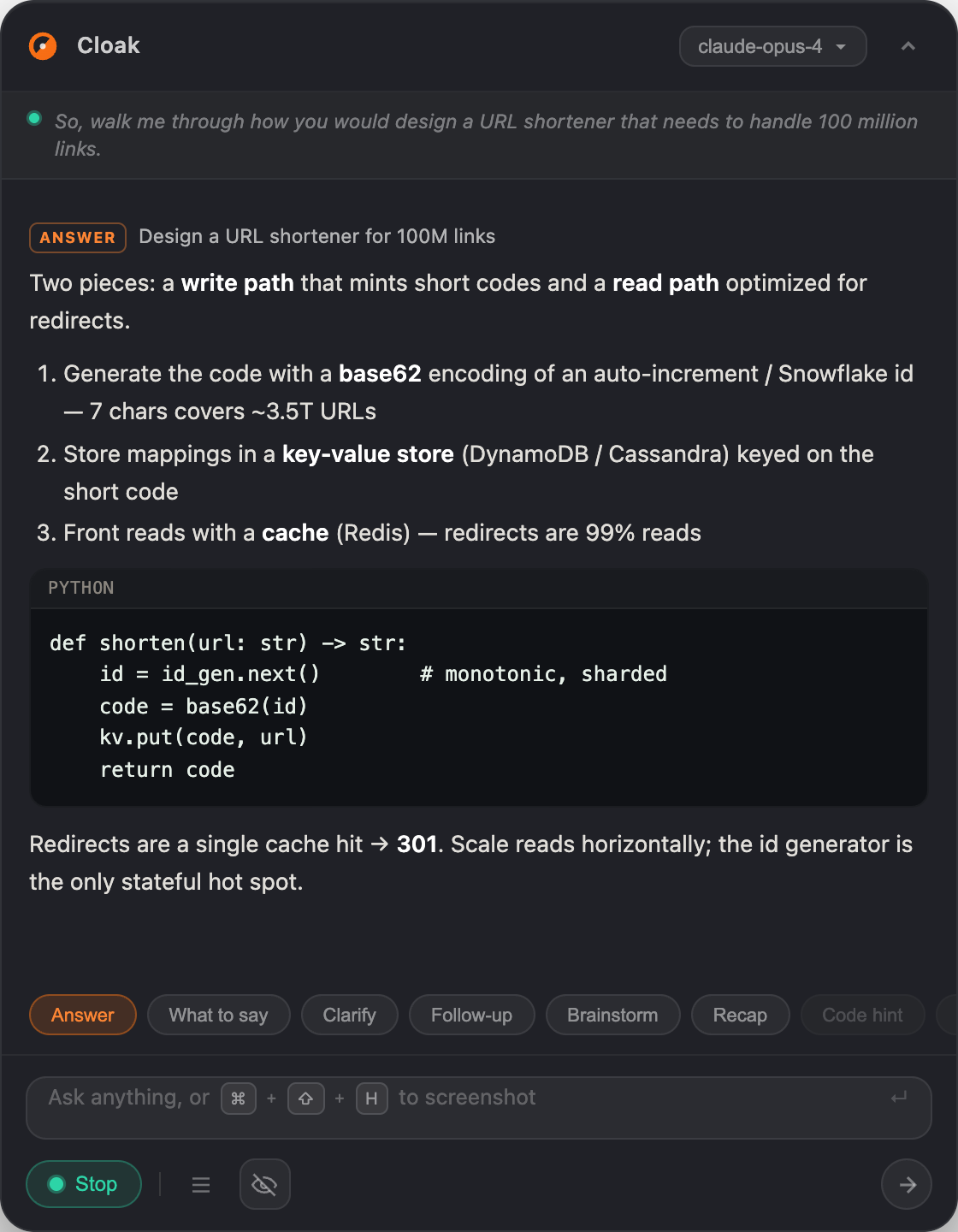

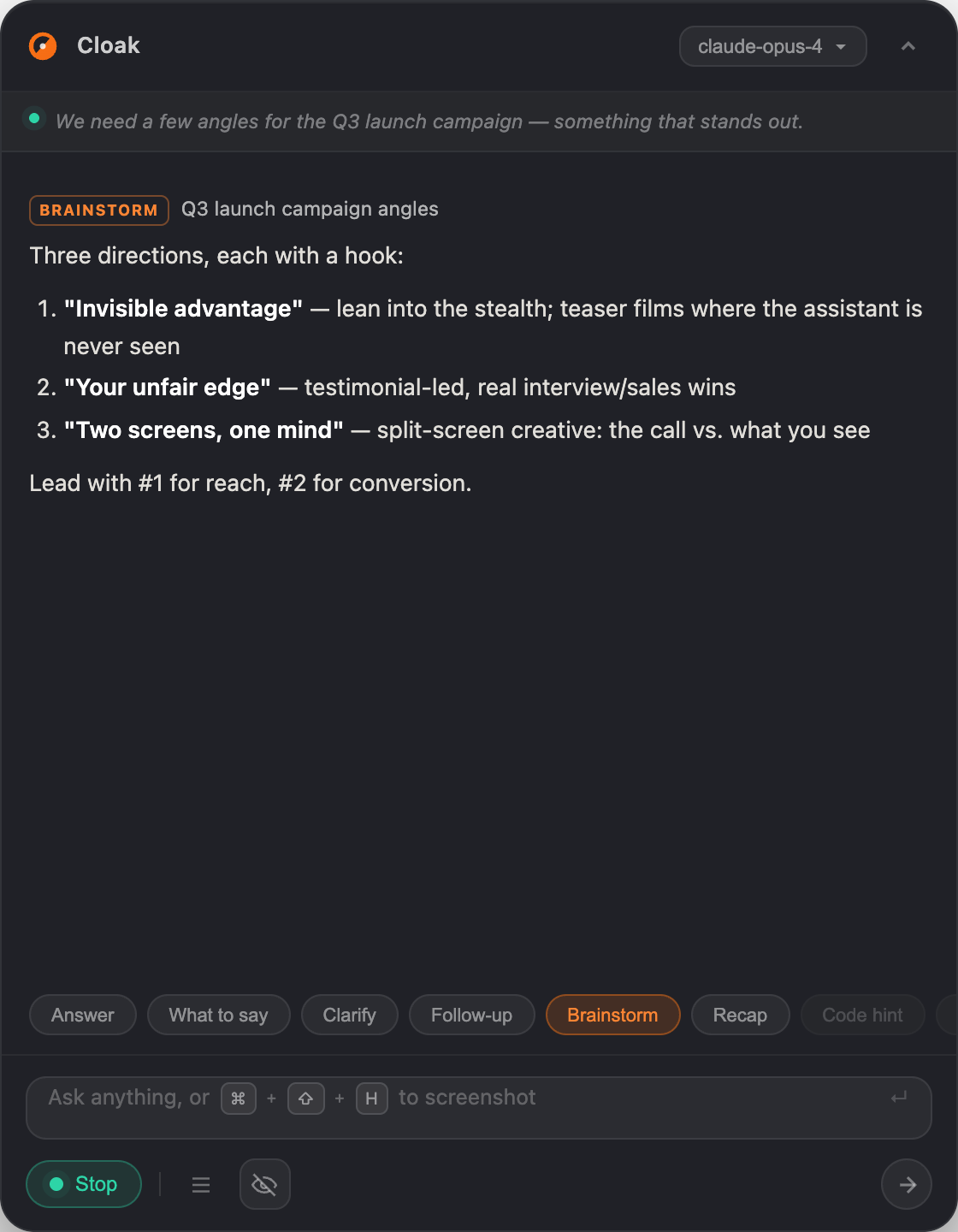
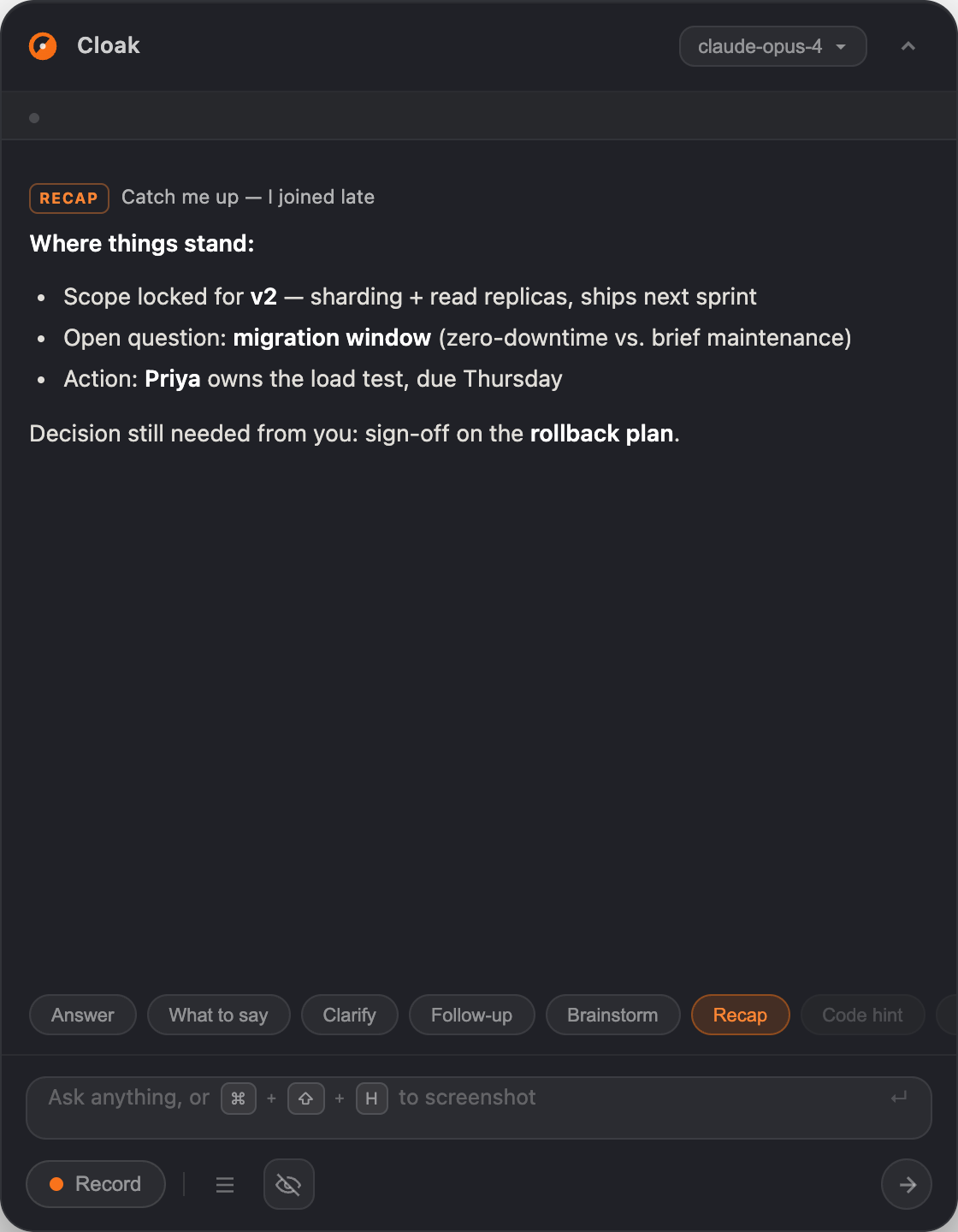
Research the room before you join, tune the assistant to you, and turn every meeting into notes, a mindmap, and a record you keep.
Drag the slider — see what your call looks like with another AI notetaker, and what it looks like with Cloak.
← drag to compare →
macOS kCGScreenRecordingExcluded flag is on at the OS level — invisible to Zoom, Loom, QuickTime.
Cloak never joins the call. You don't need anyone's consent — nobody knows it's there.
Pure Tauri 2 + Rust. No bundled Chromium. Boots in under 200ms.
When you bring your own keys, audio is processed on-device. Your data, your control.
Cloak leaves no trace in any screen capture, process list, or UI surface — at the OS level.
macOS kCGScreenRecordingExcluded flag applied at the OS display layer — absent from Zoom, Loom, QuickTime, and every other capture tool.
Cloak never appears in the macOS Dock, even while actively running. No icon, no badge, no trace.
No entry in Activity Monitor or any process inspector. The Cloak process is not listed for any user on the system.
Cmd+Tab and Mission Control show only your real app windows. Cloak is absent from the app switcher entirely.
The cursor stays a default arrow when hovering over the Cloak overlay. No pointer change betrays the presence of an interactive element.
BYOK is free forever. Managed plans handle the infrastructure.
Bring Your Own Key
Managed API
Managed API
Managed API
Lifetime
Free trial on managed plans — 10 AI requests · 10 min STT · No credit card required
Get started today
Try Cloak free on your next interview or meeting. BYOK is free forever — no subscription, no credit card.
macOS · Apple Silicon & Intel · 319.8 MB · v0.40.1
You unlocked a 50% discount code. Tap it to copy and keep it somewhere safe.